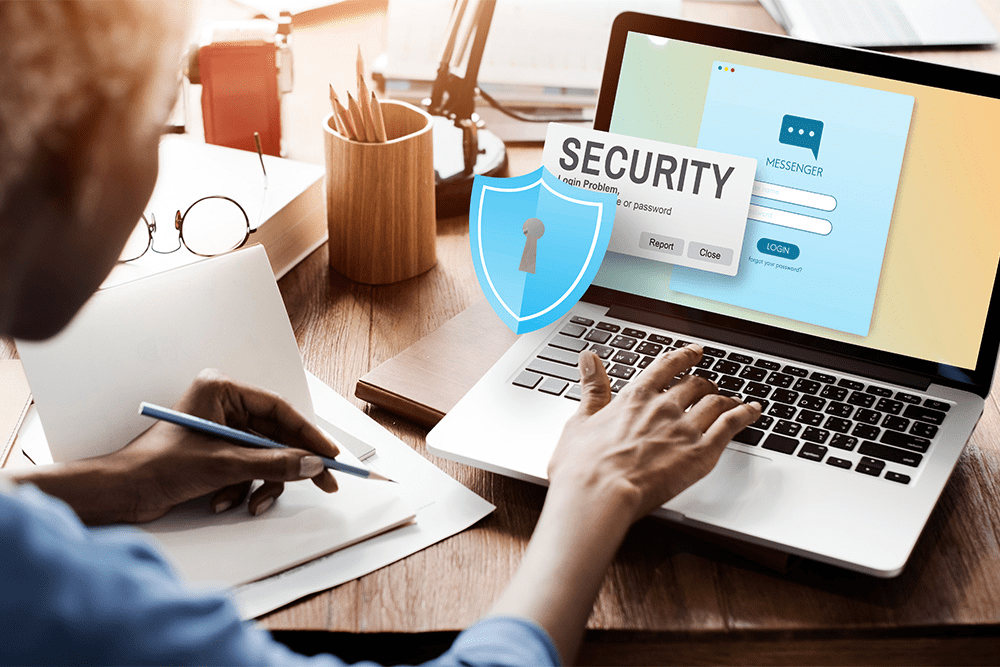
The internet has become an essential part of daily life. People use it for communication, shopping, banking, entertainment, education, and business. While the digital world offers countless benefits, it also presents risks such as cybercrime, identity theft, phishing scams, malware, and data breaches. Because of these threats, many individuals are asking how to improve online security and privacy in an increasingly connected world.
Protecting your personal information online is no longer optional. Every day, cybercriminals look for opportunities to steal passwords, financial details, and private data. Fortunately, there are practical steps anyone can take to reduce risks and maintain better control over their digital presence.


Many cybersecurity discussions on geekshub.net emphasize that online security is not just for technology experts. Basic security habits can significantly improve protection and help individuals use the internet more safely.
This article explores how to improve online security and privacy, explains common online threats, and provides simple strategies that can help protect your personal information.
Why Online Security and Privacy Matter
Every time you browse the internet, use social media, shop online, or access digital services, information about you may be collected and stored.
This information may include:
- Email addresses
- Passwords
- Phone numbers
- Financial information
- Location data
- Browsing history
Without proper protection, this data can become vulnerable to cybercriminals.
Strong online security helps:
- Protect personal information
- Prevent identity theft
- Secure financial accounts
- Reduce fraud risks
- Maintain privacy
Understanding how to improve online security and privacy is essential for anyone who uses the internet.
Understanding Common Online Threats
Before improving security, it is important to understand common cyber threats.
Phishing Attacks
Phishing occurs when criminals attempt to trick users into providing sensitive information.
These attacks often appear as:
- Fake emails
- Fraudulent websites
- Fake text messages
The goal is usually to steal passwords, banking details, or personal information.
Malware
Malware refers to malicious software designed to harm devices or steal information.
Examples include:
- Viruses
- Ransomware
- Spyware
- Trojans
Malware can infect computers, smartphones, and tablets.
Identity Theft
Identity theft occurs when criminals use stolen personal information to commit fraud.
Consequences may include:
- Unauthorized purchases
- Financial losses
- Damaged credit records
Data Breaches
Organizations sometimes experience security breaches that expose customer data.
Even large companies can become targets of cyberattacks.
Use Strong and Unique Passwords
One of the most effective answers to how to improve online security and privacy is creating strong passwords.
A strong password should:
- Be at least 12 characters long
- Include uppercase and lowercase letters
- Contain numbers
- Use special symbols
Avoid using:
- Birthdays
- Names
- Simple words
- Repeated passwords
Each online account should have a unique password.
Using the same password across multiple websites increases security risks.
Enable Two-Factor Authentication
Two-factor authentication (2FA) provides an additional layer of security.
When enabled, users must provide:
- Their password
- A second verification method
Examples include:
- Text message codes
- Authentication apps
- Security keys
Even if a password is stolen, 2FA helps prevent unauthorized access.
Keep Software Updated
Software updates often contain important security improvements.
Update regularly:
- Operating systems
- Web browsers
- Mobile apps
- Antivirus software
Cybercriminals frequently target outdated software because it may contain known vulnerabilities.
Automatic updates can help ensure devices remain protected.
Be Careful With Public Wi-Fi
Public Wi-Fi networks can be convenient but may present security risks.
Examples include:
- Coffee shops
- Airports
- Hotels
- Shopping centers
When using public Wi-Fi:
- Avoid accessing banking accounts
- Avoid entering sensitive information
- Use secure websites
- Consider using a VPN
A Virtual Private Network (VPN) encrypts internet traffic and improves privacy.
Recognize Phishing Attempts
Learning to identify phishing attacks is a key part of how to improve online security and privacy.
Warning signs include:
- Urgent requests
- Suspicious links
- Poor grammar
- Unexpected attachments
- Requests for passwords
Before clicking links, verify the sender and carefully inspect website addresses.
When in doubt, visit websites directly rather than clicking email links.
Manage Social Media Privacy
Social media platforms often encourage users to share personal information.
However, oversharing can create privacy risks.
Helpful practices include:
Review Privacy Settings
Limit who can view your posts and personal information.
Avoid Sharing Sensitive Details
Do not publicly post:
- Home addresses
- Financial information
- Travel plans
- Personal identification details
Be Selective With Friend Requests
Accept connections only from people you know and trust.
Many cybersecurity articles on geekshub.net recommend regularly reviewing social media privacy settings.
Use Secure Websites
When entering personal information online, verify that websites use secure connections.
Look for:
- “https://” in the address bar
- A padlock icon
These indicators suggest that data transmitted between your device and the website is encrypted.
While secure websites are not automatically safe, they provide better protection than unsecured connections.
Install Reliable Security Software
Security software can help detect and prevent threats.
Recommended tools include:
- Antivirus programs
- Anti-malware software
- Firewall protection
These tools monitor devices and help identify suspicious activity.
Regular scans can improve overall security.
Limit App Permissions
Many mobile applications request access to:
- Contacts
- Camera
- Microphone
- Location data
Not all permissions are necessary.
Review app permissions regularly and disable access that is not required.
Limiting permissions helps protect privacy and reduces unnecessary data collection.
Backup Important Data
Data loss can occur due to:
- Hardware failure
- Malware attacks
- Accidental deletion
- Ransomware
Regular backups help protect valuable information.
Backup options include:
- External hard drives
- Cloud storage services
- Network storage devices
Having backups reduces the impact of unexpected incidents.
Monitor Financial Accounts
Regularly checking financial accounts helps identify suspicious activity quickly.
Monitor:
- Bank statements
- Credit card transactions
- Online payment accounts
Early detection often limits financial damage.
Consider enabling account alerts for unusual activity.
Be Careful What You Download
Downloading files from untrusted sources increases security risks.
Avoid:
- Suspicious websites
- Unknown attachments
- Pirated software
- Unverified applications
Always download software from official sources whenever possible.
Educate Yourself About Cybersecurity
Cyber threats continue to evolve.
Staying informed helps individuals recognize new risks and adopt better security practices.
Ways to stay informed include:
- Reading cybersecurity blogs
- Following trusted technology websites
- Learning about emerging threats
- Participating in online safety training
Many educational resources on geekshub.net provide practical cybersecurity information for everyday users.
Create Healthy Digital Habits
Online security is not a one-time task.
It requires consistent habits.
Examples include:
| Security Habit | Benefit |
|---|---|
| Strong Passwords | Better account protection |
| Two-Factor Authentication | Extra security layer |
| Regular Updates | Reduced vulnerabilities |
| Secure Browsing | Better privacy |
| Data Backups | Protection against data loss |
| Privacy Reviews | Improved information control |
These habits contribute to long-term online safety.
The Future of Online Security
As technology continues to evolve, cybersecurity will become even more important.
Future developments may include:
- Advanced biometric authentication
- Artificial intelligence security tools
- Enhanced encryption methods
- Improved fraud detection systems
While technology improves, personal responsibility will remain a critical part of online protection.
Understanding how to improve online security and privacy will continue to be an essential skill for internet users.
Conclusion
Learning how to improve online security and privacy is one of the most valuable investments individuals can make in today’s digital world. Cyber threats continue to evolve, but simple actions such as using strong passwords, enabling two-factor authentication, updating software, managing privacy settings, and staying informed can significantly reduce risks.
As many cybersecurity experts on geekshub.net emphasize, online security is not about eliminating all risks. Instead, it is about making informed choices that improve protection and reduce vulnerability. By developing smart digital habits, individuals can enjoy the benefits of the internet while safeguarding their personal information and privacy.
Frequently Asked Questions (FAQs)
1. What is the best way to improve online security?
Using strong unique passwords, enabling two-factor authentication, updating software, and practicing safe browsing habits are among the most effective security measures.
2. Why is online privacy important?
Online privacy helps protect personal information, prevent identity theft, reduce fraud risks, and maintain control over sensitive data.
3. What is two-factor authentication?
Two-factor authentication requires users to provide both a password and a second verification method before accessing an account.
4. Is public Wi-Fi safe to use?
Public Wi-Fi can present security risks. Avoid accessing sensitive accounts and consider using a VPN for additional protection.
5. How often should I update my passwords?
It is a good practice to update important passwords periodically and immediately if you suspect an account may have been compromised.
- How Virtual Workspaces Improve Team Productivity
- How Can Metromsk.com Improve Website Traffic? A Complete Guide for Businesses
- Can I Bookmark Comics on Reaper Scans? A Complete Guide for Manga and Manhwa Readers
- What Should I Do If I Type Onboardicafe.con by Mistake? A Complete Guide
- Can I Watch Movies Safely Instead of Fimlyzilla? A Complete Guide to Legal and Secure Streaming